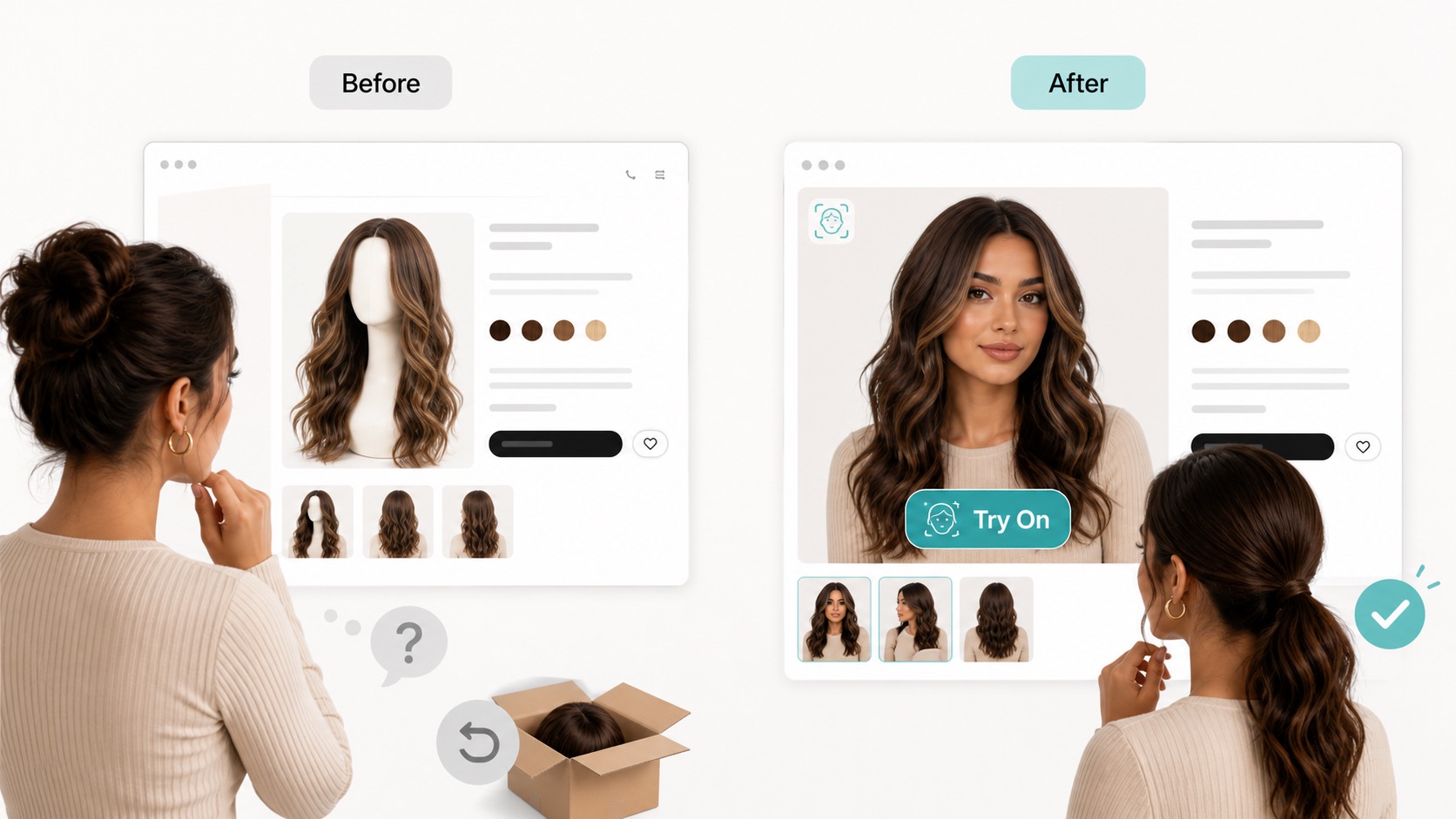
How virtual try-on reduces return risk
The return-reduction value of virtual try-on comes from where it appears in the shopping journey. It gives the shopper a confidence-building step while they are still on the product page, before they add the wig to cart.
The shopper views a wig product
They see the product photo, title, price, color options, and product details. At this stage, they may still be unsure whether the style suits them.
They click Try On
A try-on button on the product image keeps the interaction close to the buying decision. There is no need to leave the product page or search for a separate tool.
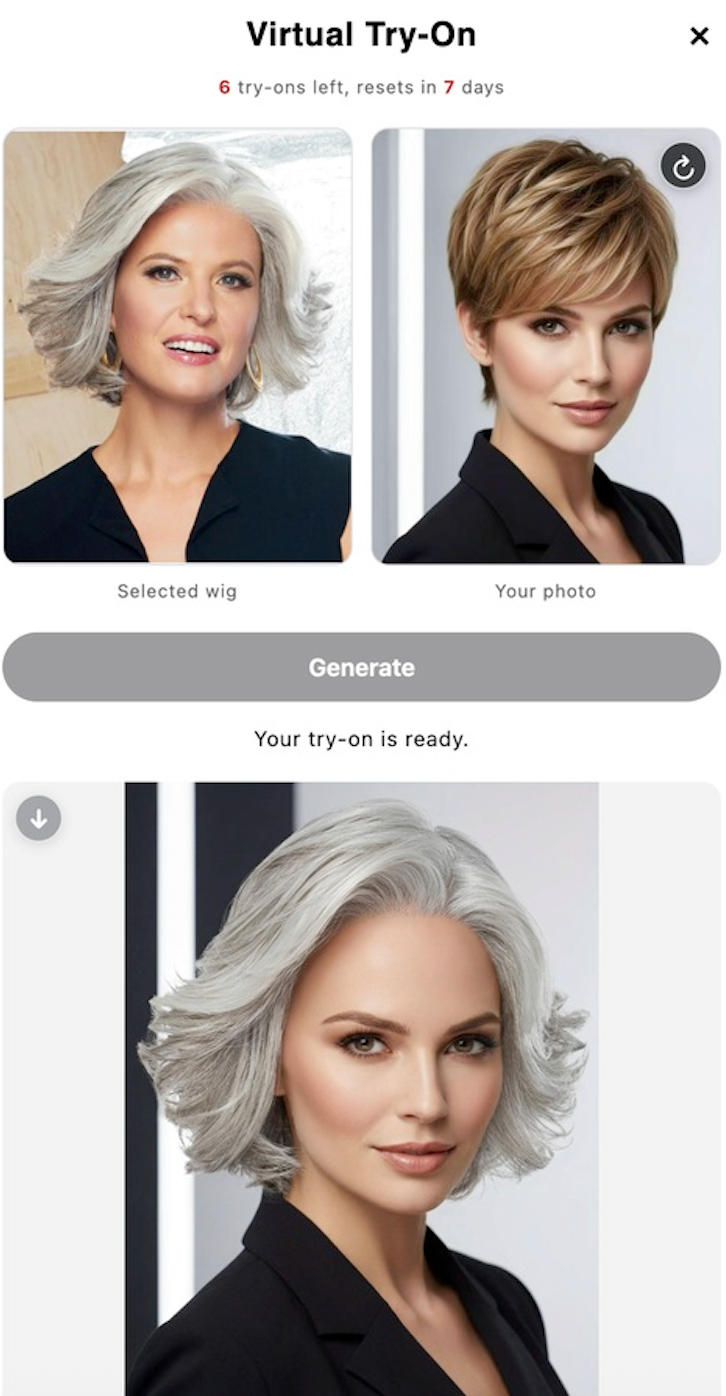
They upload a clear photo
The shopper uses a front-facing photo, which helps the preview focus on the style, face framing, and overall look.
They buy with clearer expectations
Even if the shopper does not purchase immediately, they now have more information. That can reduce surprise after delivery and support a more confident decision.
What virtual try-on cannot solve alone
Virtual try-on is useful, but it is not magic. It should not be the only tool a wig store uses to reduce returns. Some return reasons still need operational fixes.
- Color accuracy: provide multiple product photos, lighting notes, and color descriptions.
- Cap fit: explain sizing, cap construction, lace type, and fit guidance clearly.
- Quality expectations: describe density, fiber type, maintenance, shedding expectations, and styling limitations.
- Policy confusion: make return, exchange, and restocking policies easy to find before checkout.
Think of virtual try-on as one part of a clearer buying experience. It helps shoppers visualize the wig, while product content and support answer the practical questions.
Best practices for Shopify wig stores
- Use try-on on products with clear images. Front or near-front wig photos usually work best.
- Start with popular or high-return styles. These products give you the best signal on whether try-on helps.
- Place the try-on entry point near the product image. The shopper should see it while considering the wig.
- Pair try-on with review content. Photo reviews and virtual previews support different kinds of trust.
- Measure engagement. Track whether shoppers use try-on and whether enabled products perform differently over time.
If you are still planning the technical setup, read our step-by-step guide on how to add virtual wig try-on to Shopify. If you want to focus on the storefront entry point, see how to add a Try On button to Shopify wig product pages. If you are building a broader tool stack, see our guide to the best Shopify apps for wig stores. For a customer-facing explanation, read the benefits of virtual wig try-on for online wig shoppers. No. It cannot eliminate returns. It can help reduce preventable returns caused by style uncertainty, face-framing concerns, and unclear expectations before purchase. Stores selling lace front wigs, glueless wigs, human hair wigs, synthetic wigs, toppers, and style-heavy collections can benefit because shoppers often want visual reassurance before buying. Not necessarily. Start with products that have clear, front-facing or near-front images. Then expand once you know which product photos create the best shopper experience. The most natural place is on or near the product image, because that is where shoppers are evaluating the wig visually. TryHair - Wig Try-On adds a Try On button to selected Shopify product images, allowing shoppers to upload a photo and preview a wig before purchasing. Setup takes about one minute, with no theme coding required.FAQ
Can virtual try-on eliminate wig returns?
What types of wig stores benefit most?
Should virtual try-on be used on every product?
Where should the Try On button appear?
Help shoppers buy wigs with clearer expectations