WooCommerce · independent cloud integration
See the shopper flow.
A walkthrough of the working WooCommerce integration, using captures from our development store.
1. Choose an enabled wig
Open the product page, choose a supported variation if needed, and click Try On. Select a product image inside the dialog.
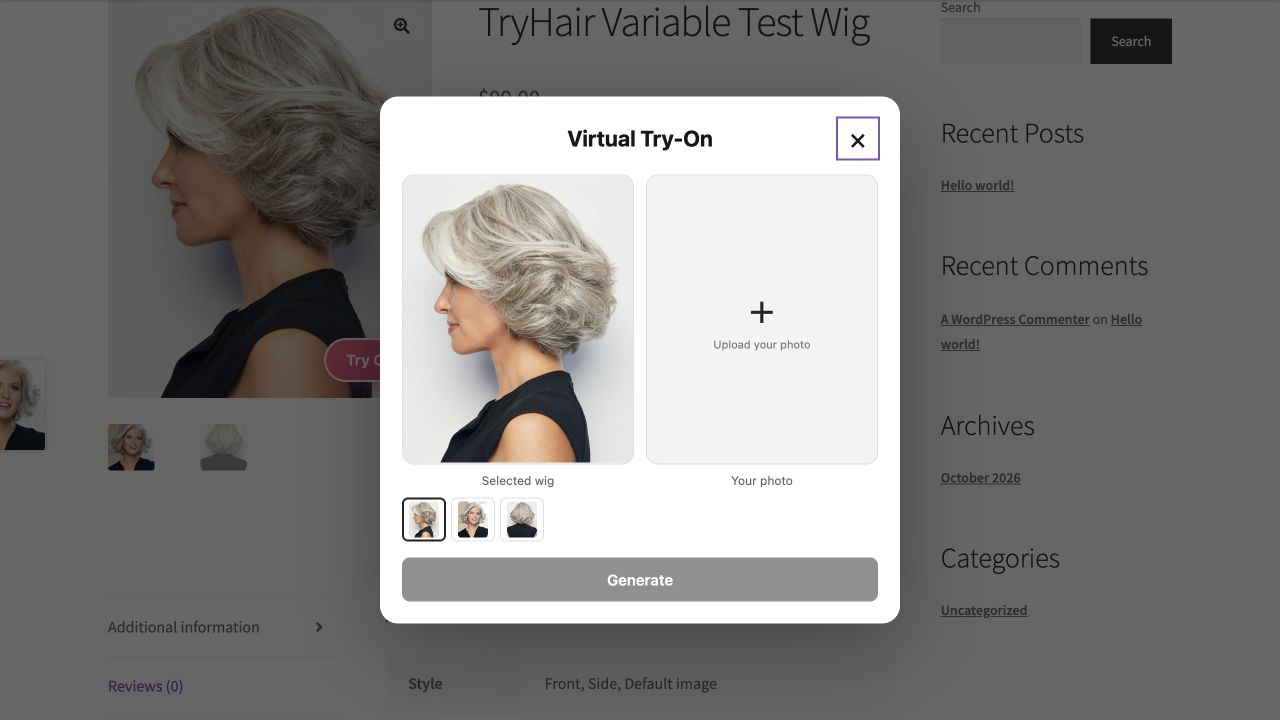
2. Upload a photo and generate
Use a clear, front-facing photo you are authorized to process. Both the portrait and wig image are checked by the service. A successful image is delivered back to the browser.
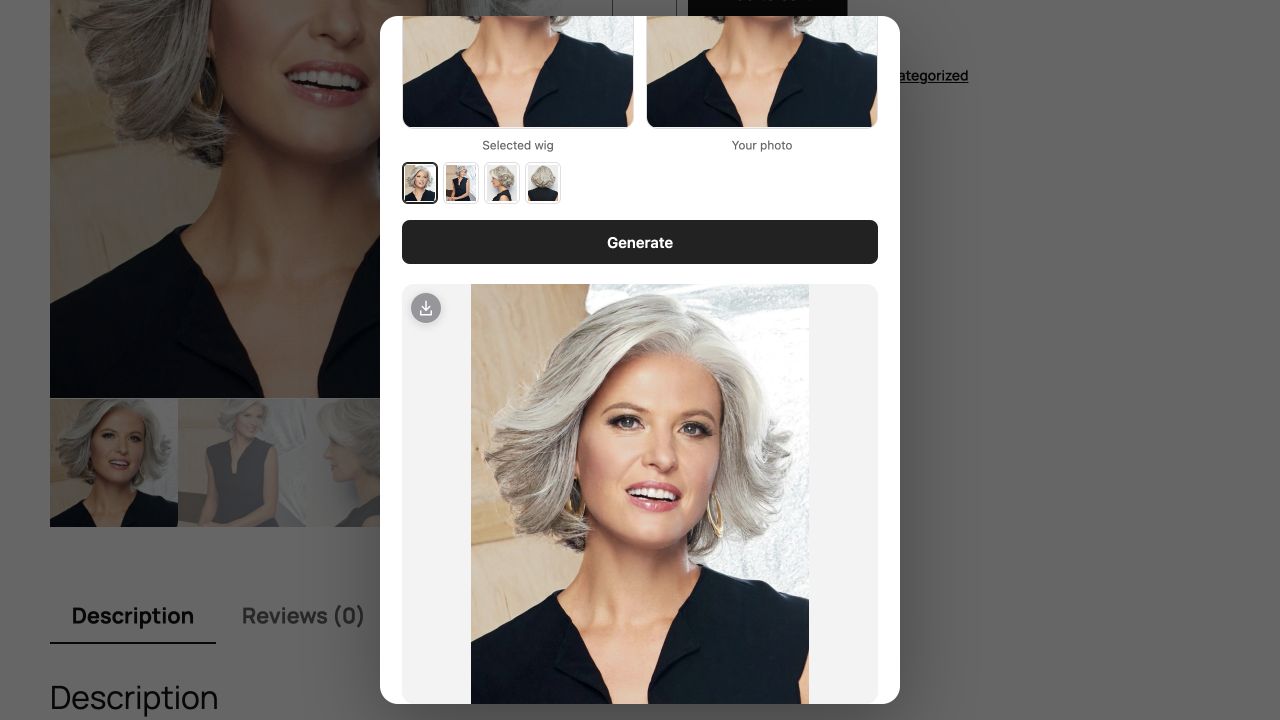
3. Download the preview
Save the delivered image with the download control. Successful generation is counted by the server before delivery; closing the page or skipping download does not undo successful usage.
Recorded walkthrough
A WC-specific video has not yet been recorded. We will add it after the public review store is configured; Shopify videos are not presented as WC demonstrations.
Reviewer testing instructions →